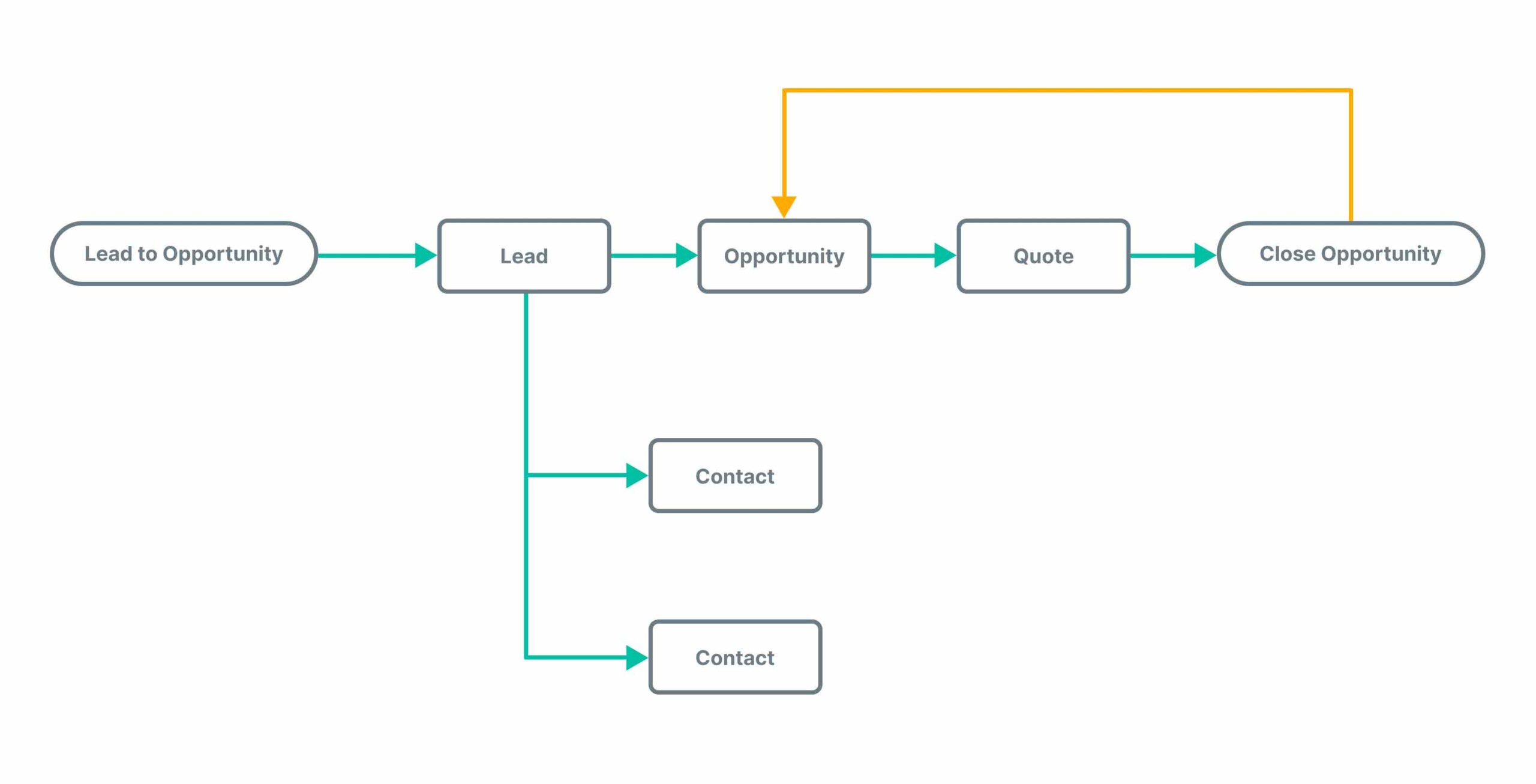
A well-structured CRM workflow is the engine that powers sales efficiency, customer satisfaction, and long-term growth. But building workflows that actually deliver results—instead of adding complexity—requires a strategic approach. Whether you’re automating lead follow-ups, nurturing prospects, or managing post-sale engagement, the right CRM workflow can save time, reduce errors, and create seamless experiences across the customer journey.
In this comprehensive guide, we explain exactly how to build CRM workflows that work, streamline business processes, and drive consistent results.
What Is a CRM Workflow?
A CRM workflow is a predefined sequence of automated actions triggered by specific events or conditions in your CRM system. These actions can include sending emails, assigning tasks, updating fields, moving deals through pipeline stages, and more.
Effective CRM workflows help you:
- Automate repetitive tasks
- Ensure consistency in communication
- Respond faster to customer actions
- Eliminate manual errors
- Align your sales, marketing, and service teams
Step-by-Step Guide to Building Effective CRM Workflows
1. Define Your Objectives Clearly
Start with the goal of the workflow. Are you trying to:
- Increase lead conversion?
- Speed up onboarding?
- Improve follow-up consistency?
- Reduce response time?
Clearly define what success looks like and who the workflow serves—sales, marketing, support, or a combination.
Example: Objective: Automate follow-up emails to leads who download a whitepaper, encouraging them to book a demo within 7 days.
2. Map Out the Customer Journey
Understanding the touchpoints in your customer journey helps you identify where workflows are needed.
Break down the journey into key stages:
- Lead capture
- Qualification
- Engagement/nurturing
- Conversion
- Onboarding
- Retention and upsell
For each stage, outline what actions should be triggered, what conditions must be met, and what the desired outcome is.
3. Identify Workflow Triggers
Every CRM workflow starts with a trigger—an event or condition that launches the sequence.
Common triggers include:
- New lead added to CRM
- Form submission
- Deal moved to a new pipeline stage
- Email opened or link clicked
- Missed follow-up task
- No response after X days
Choosing the right trigger ensures that workflows are timely and relevant.
4. Define the Action Steps
Once triggered, what should happen? CRM workflows can perform a variety of automated actions, such as:
- Send an email or SMS
- Create a task for a team member
- Update contact/deal fields
- Move the deal to a new stage
- Assign the lead to a sales rep
- Trigger another workflow
Each action should move the contact closer to conversion or provide value in their journey.
5. Use Conditional Logic for Personalization
If/then conditions allow you to customize workflows based on customer behavior or data.
Examples of conditional logic:
- If lead score > 80, assign to senior sales rep
- If customer industry = healthcare, send targeted content
- If email not opened in 3 days, send reminder
This ensures relevant, personalized engagement that builds trust and improves outcomes.
6. Set Timelines and Delays Intelligently
Not everything should happen instantly. Use delays to space out actions for a natural, human-like flow.
- Delay 1 day before sending a follow-up
- Wait 2 hours after form submission to call
- Pause workflow if contact replies manually
Avoid overwhelming contacts with too much communication at once—pace matters.
7. Test the Workflow Before Launch
Before going live, test your workflow with internal users or test contacts. Look for:
- Broken triggers
- Incorrect email content
- Actions firing out of order
- Missed delays or overlaps
- Unexpected outcomes
Most CRM platforms offer sandbox environments or test modes—use them thoroughly to validate the logic and flow.
8. Monitor Performance and Optimize
Workflows aren’t “set and forget.” Regularly review key performance indicators like:
- Open and click-through rates
- Response time
- Conversion rates
- Task completion rates
- Drop-off points
Use CRM reporting tools and dashboards to identify where workflows are succeeding—and where they need adjustment. Continuous improvement is key.
Examples of CRM Workflows That Work
Lead Nurturing Workflow
Trigger: Contact downloads a whitepaper
Actions:
- Send thank-you email with the download
- Wait 2 days, send a related blog post
- Wait 3 days, send a case study
- If no response, schedule follow-up task for sales
Sales Pipeline Workflow
Trigger: Deal moved to “Proposal Sent” stage
Actions:
- Send personalized follow-up email
- Create a task for rep to call in 2 days
- If no update in 5 days, send reminder email
- After 10 days of inactivity, move deal to “Stale”
Customer Onboarding Workflow
Trigger: Deal marked “Closed – Won”
Actions:
- Send welcome email with next steps
- Assign onboarding specialist
- Schedule kickoff call
- Send onboarding checklist and timeline
- 7-day check-in email
Customer Feedback Workflow
Trigger: Ticket marked as “Resolved”
Actions:
- Send CSAT survey email
- If score <7, create escalation task
- If score ≥9, send review request
- Update CRM with satisfaction data
Best Practices for CRM Workflow Success
- Keep it simple – Don’t overcomplicate with too many branches or triggers
- Document every workflow – So team members can understand and replicate it
- Avoid redundancy – Ensure workflows don’t overlap or contradict each other
- Collaborate across teams – Sales, marketing, and support should all contribute
- Automate ethically – Don’t over-message or ignore human intervention when needed
CRM Platforms That Support Advanced Workflow Automation
Most modern CRM tools offer drag-and-drop workflow builders, allowing non-developers to create automated processes with ease. Leading platforms include:
- HubSpot CRM – Visual workflow builder, ideal for marketing and sales alignment
- Salesforce – Powerful automation through Process Builder and Flow
- Zoho CRM – Rule-based workflows with integrations and analytics
- Pipedrive – Activity-based automation tailored to sales pipelines
- Freshsales – Workflow automations with AI-based lead scoring
Choose a platform that fits your business size, team structure, and growth strategy.
Conclusion: Workflows That Work, Work Wonders
Effective CRM workflows do more than automate—they empower teams, enhance customer experience, and accelerate growth. By aligning automation with real customer needs and internal goals, you can build systems that drive consistent, measurable success.